
waftCRS Manual

Chorus Overview
waftCRS is a stereo tap chorus: dry signal plus a moving cloud of short delay taps.
- Shape the sound from the main surface with Delay, Depth, Speed, Feedback, Width, Spread, Skew, filters, and Mix.
- Use PERF for direct performance control with the blue left and yellow right animated blobs.
- Use ADV for detailed modulation, tap-map editing, MIDI mapping, Motion Rec, and randomisation.
- The custom tap map lives in ADV TAPS, where the current left/right tap rows and overview rail are shown together.
Top Bar
Always visible: presets, tempo, mode, wet-path audition.

| Control | Use |
|---|---|
| waftCRS title / version | Shows plug-in name and version. |
| Status badge | Shows FREE or BETA when relevant. Click FREE, or open HELP/LICENSE, for unlock and licence actions. |
| ... | Open HELP/LICENSE, PRESET MANAGER..., COLOURS..., MIDI..., and GRIT. |
| Undo / Redo | Step editor changes backward or forward. |
| < / > | Load the previous or next preset in the visible preset list. |
| Preset box | Shows the current preset. Click to open INIT plus the factory/user library, then choose a preset. Right-click chooses Preset Glide. Edited sounds are marked. |
| INIT | Reset to INIT. Shift-click reloads the last loaded preset; right-click chooses Preset Glide. |
| SAVE | Save the current patch as a named preset copy. Right-click loads a preset file. |
| RND | Randomise a patch using the selected Random profile. Shift-click also varies split L/R Delay, Depth, Speed, and Feedback. |
| MREC | Shows Motion Rec state. Click or right-click for mute, clear, and MRECQ actions; Command/Ctrl-click toggles motion mute. |
| FREE / BPM | Switch between free-running timing and host-synced timing. When synced, the button shows host tempo or MIDI clock. |
| PERF | Show the performance blobs below the main controls. |
| ADV | Show advanced editing panels below the main controls. |
| BYPASS | Temporarily mute the chorus wet path. This does not change host/plugin bypass. |
Global Symbols
Reusable button symbols and modifiers.
Open help/licence, preset management, colours, MIDI, and grit options.
Step editor changes backward.
Step editor changes forward.
Load the previous preset; GLIDE retargets fast clicks.
Load the next preset; GLIDE retargets fast clicks.
Return the current area to its default or blank state. Shift-click top-bar INIT reloads the last loaded preset.
Save a preset copy. Right-click loads a preset file.
Generate new values. In ADV tabs it affects that tab; in the top bar it affects the patch.
Open motion actions or show record, clear, mute, and active motion states.
Main UI
Main controls. Visible in PERF and ADV.
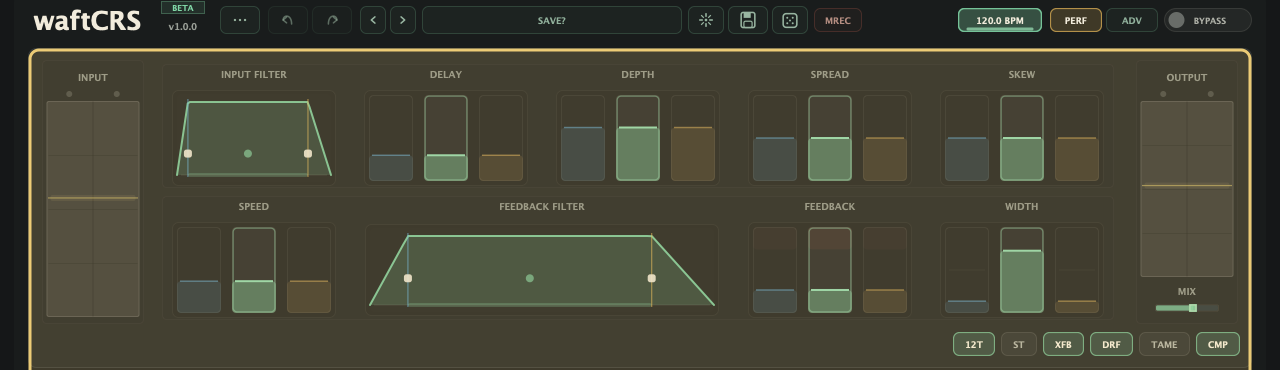
meter rail
meter rail + Mix
| Control | Use |
|---|---|
| Input meter rail | Shows input level. Drag the rail to set Input gain. |
| Input Filter | Pre-chorus HP/LP filter window. Drag the centre/window to move both cutoffs; drag the blue or yellow edge to move one cutoff. The LPF/BPF/HPF tag changes filter mode. |
| Delay pad | Base chorus time. Edit linked or side-specific values with L, L+R, or R. |
| Depth pad | Chorus delay movement depth. Edit linked or side-specific values with L, L+R, or R. |
| Spread pad | Custom tap spread for linked or split tap layouts. |
| Skew pad | Custom tap skew for linked or split tap layouts. |
| Speed pad | Chorus movement rate. In synced timing it snaps to musical divisions. |
| Feedback Filter | Filter inside the feedback loop. Drag the window to move HP/LP together, or drag one edge for one cutoff. Extreme edges become LPF/HPF. |
| Feedback pad | Recirculation amount. High values can self-oscillate; use TAME for loop suppression. |
| Width | Three-lane stereo width control. Green L+R is linked width; blue L CROSS and yellow R CROSS override each side from HOME through CENTRE to crossed/swapped. |
| Mix | Dry/wet crossfade. Drag up/down on the slider to edit. 127 is wet only unless BYPASS dry audition is active. |
| Output meter rail | Shows output level. Drag the rail to set Output gain. |
Extra Buttons
Lower-strip global switches.
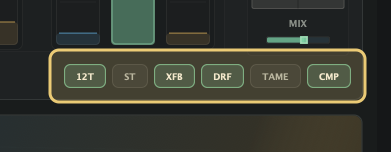
| Button | States | Use |
|---|---|---|
| 6T / 12T | Classic / dense | 6 total taps or 12 total taps. |
| ST / MONO / L-M / R-M | Stereo, mono, left mono, right mono | Click toggles ST/MONO. Shift-click alternates L-M/R-M wet source modes. |
| XFB | Off / on / wild | Opposite-side feedback. Shift-click enables XFB WILD. |
| DRF | Off / drift / wild | Slow tap-position drift. Shift-click enables DRIFT WILD. |
| TAME | Off / tame / super tame | High-feedback loop suppression. Shift-click enables SUPER TAME. |
| CMP | Off / gain comp / makeup match | Wet-level auto-trim. Shift-click snaps makeup to the live level match. |
Motion Rec
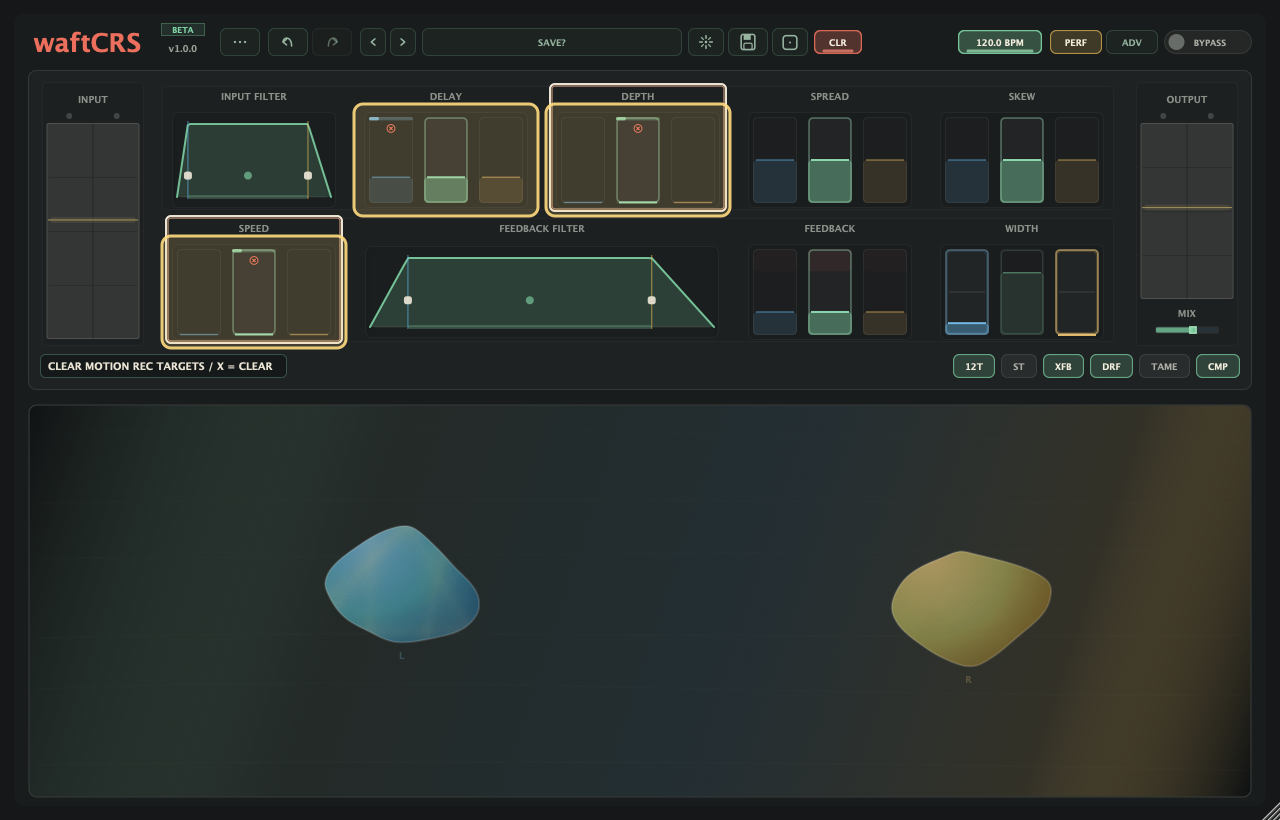
Motion Rec records your own control movement as a looping performance overlay.
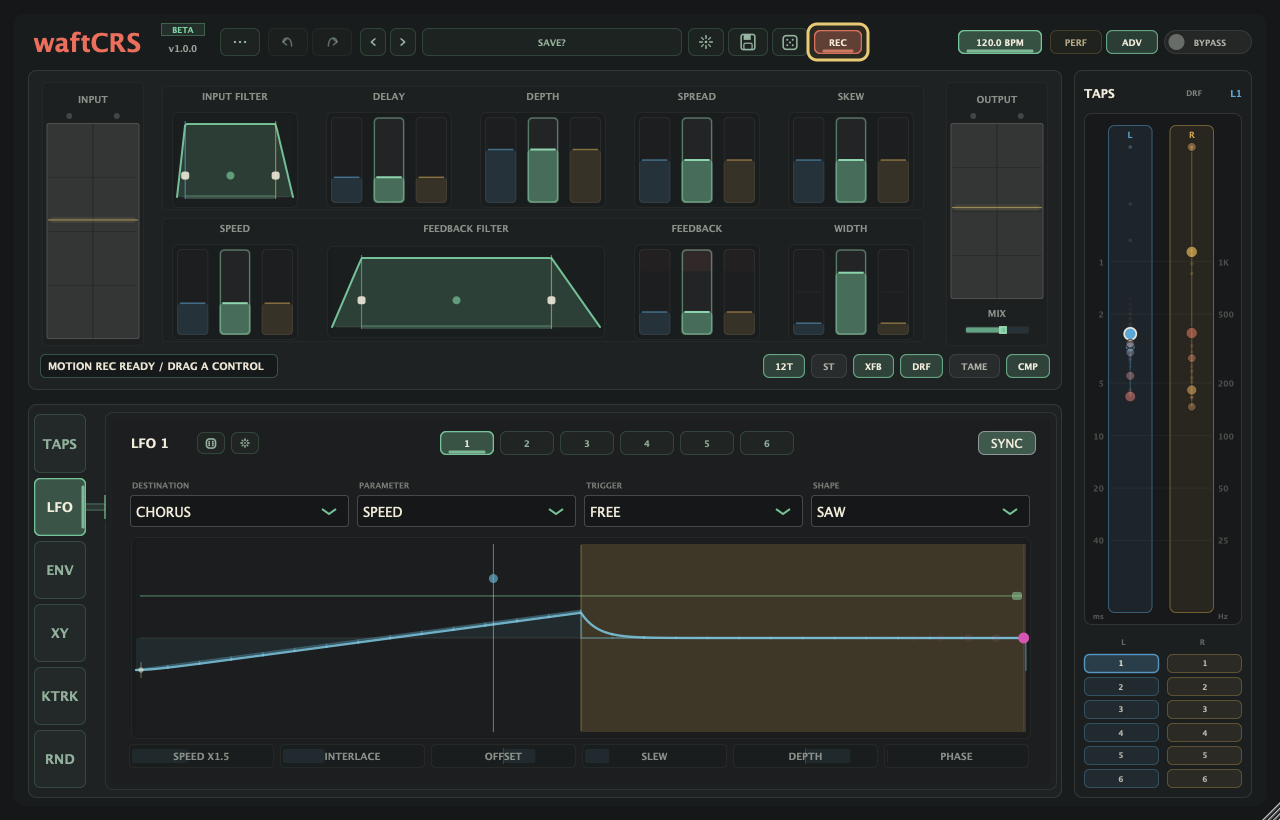
| Action | Use |
|---|---|
| Record movement | Hold Command/Ctrl, drag a supported control, then release to loop the gesture. |
| Where to use it | Use Motion Rec on main controls, filter planes, PERF blob drags, and supported ADV controls. |
| How it plays | Recorded motion plays over the stored control value without changing the saved knob position. |
| Loop length | With synced timing on, MRECQ sets the new loop length. With FREE timing, the loop follows your recorded gesture length. |
| Mute motion | Use the MREC menu to mute or unmute all recorded motion without deleting it. Command/Ctrl-click MREC toggles mute directly. |
| Clear one target | Command/Ctrl-Shift-click a supported recorded control to clear only that target. |
| Save and recall | Recorded motion is saved with patches and DAW sessions unless you clear it before saving. |
PERF Surface
Performance view: stereo tap cloud, blue/yellow animated blobs, and direct BLOB X/Y drag targets.
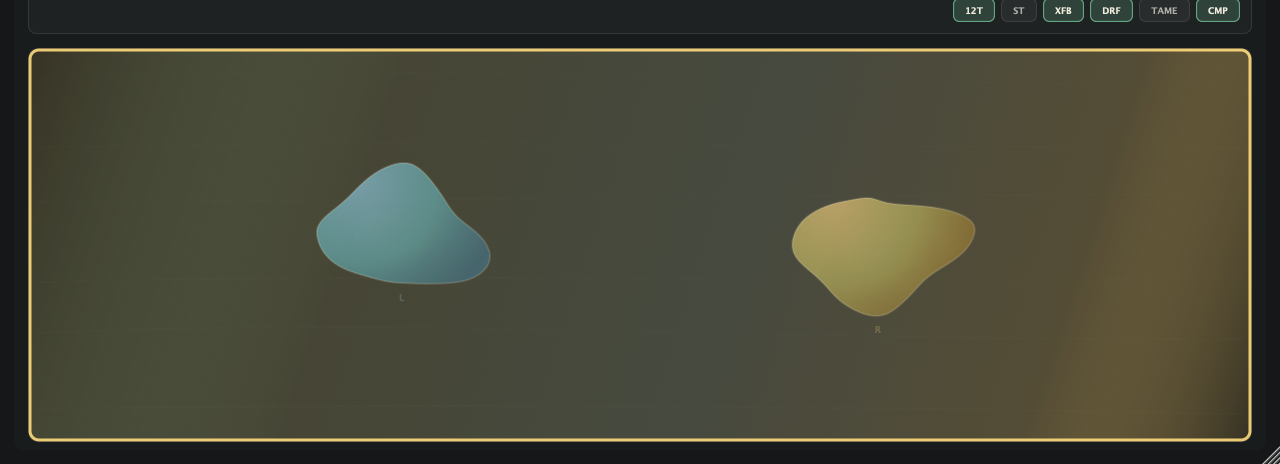
- Drag the blue left blob or yellow right blob to perform its assigned BLOB X/Y targets.
- Hold Shift while dragging for finer movement.
- Assign blob drag targets from right-click modulation/BLOB menus on controls that support BLOB assignment.
- Main control labels show the active target and value while you perform.
- Hover tap points to read them; drag a tap to enable and edit the custom tap map.
- Use TAB to cycle modes.
ADV Mode
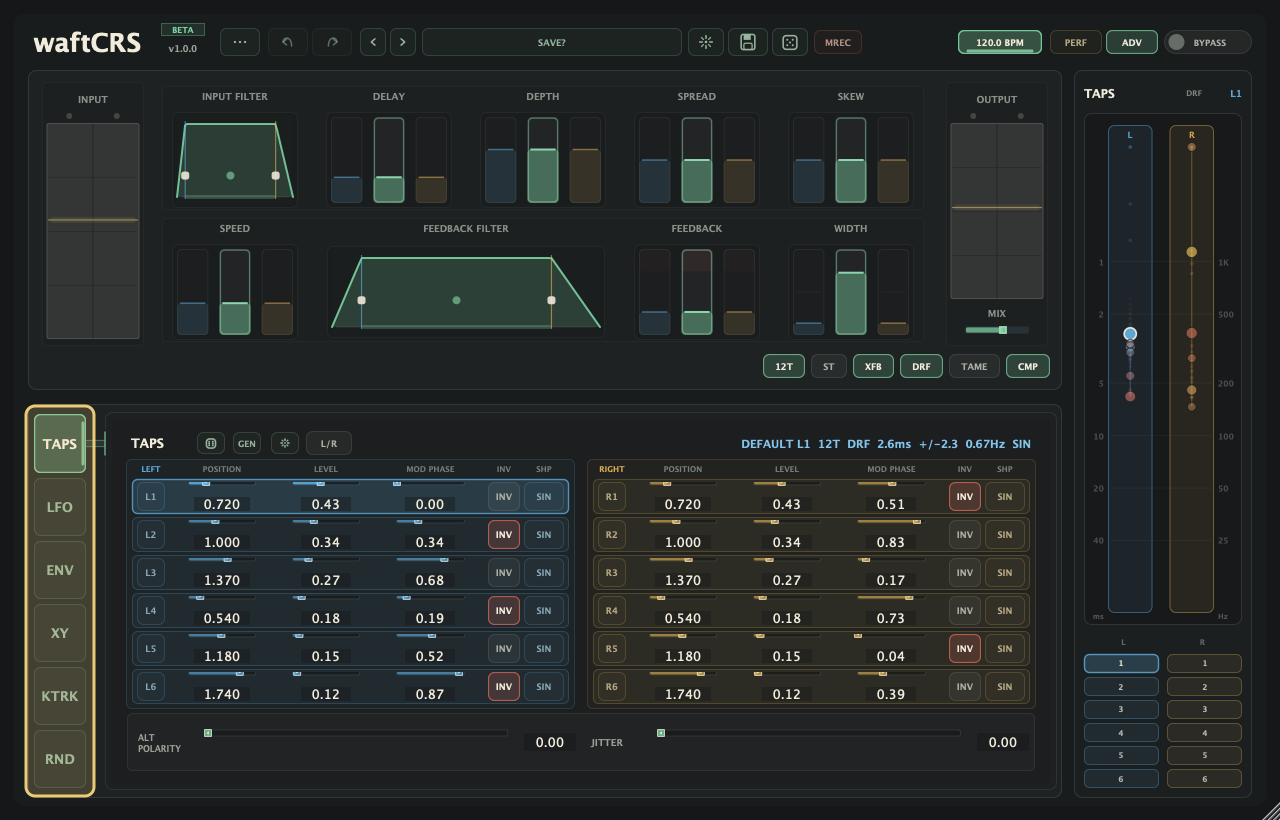
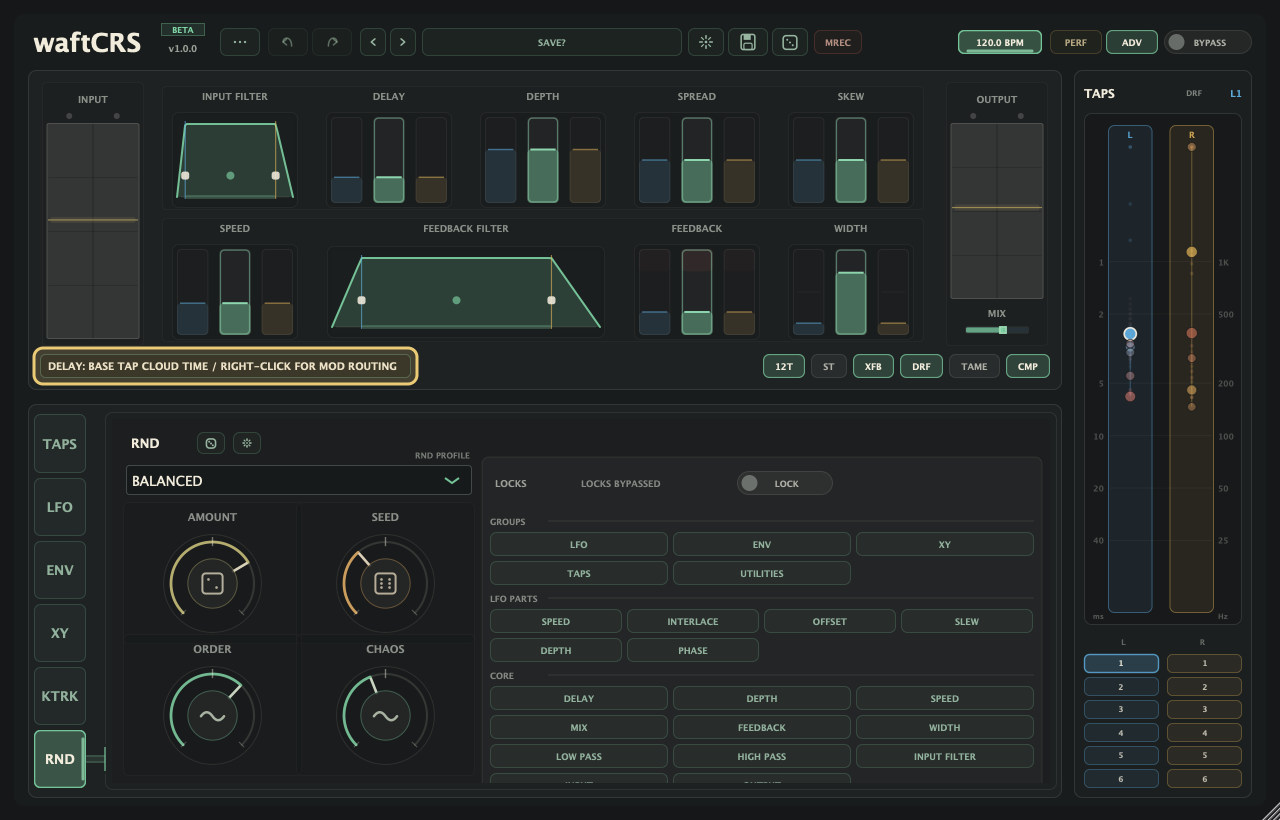
- Left rail order: TAPS, LFO, ENV, XY, KTRK, RND. HELP/LICENSE lives in the top-bar ... menu.
- LFO mode: buttons 1-6 select the active LFO.
- Tap overview stays visible beside the active panel.
- Right-click assignable controls to open the modulation assignment popup.
- Internal sources: LFO 1-6, ENV slot 1-4, and PERF BLOB X/Y where available.
- External MIDI: use top-bar ... menu,
MIDI....
TAPS
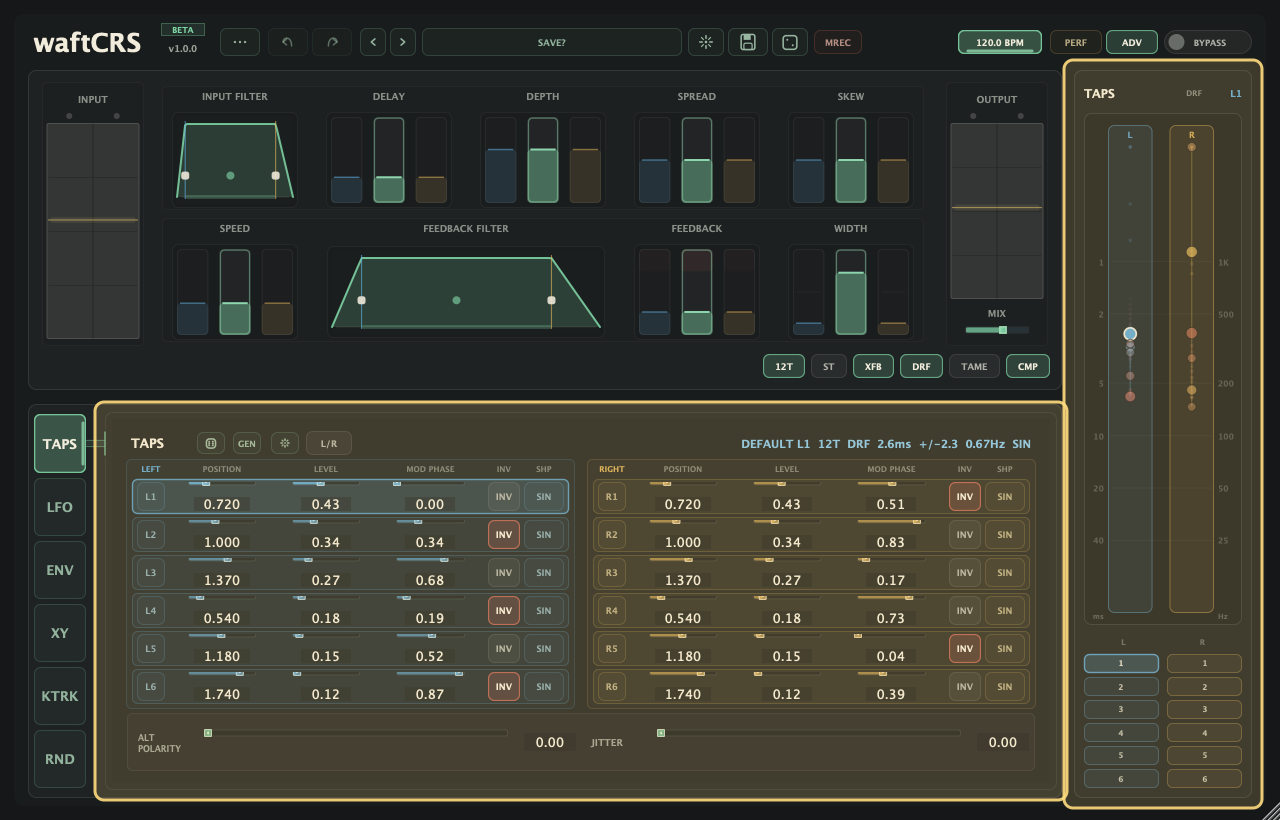
TAPS edits the custom tap map directly: generate a map, select or mute taps, then tune timing, level, phase, polarity, and shape.
| Control | Use |
|---|---|
| 6T / 12T | Choose 3 taps per side or 6 taps per side. |
| Die / RND | Randomise tap positions, levels, phase offsets, polarity, movement shape, and global tap feel. |
| GEN | Click for a generated musical map. Right-click for Surprise, Mutate Current, and recipe families: Musical/Intervals, Rhythm/Grid, Math/Sequences, Tape/Heads, and Experimental. |
| INIT reset icon | Restore the classic WaftCRS tap map. |
| L/R | Swap custom tap data between left and right sides. Shift-click copies left to right. |
| Right-hand overview | Click a tap point to select it. Click a numbered selector button to mute or unmute that tap. |
| Tap row buttons L1-L6 / R1-R6 | Select and mute/unmute the tap. These match the right-hand overview selector buttons. |
| Position / Level / Mod Phase | Edit delay position, tap gain, and movement phase. Shift-drag one slider to move the visible sliders on that side together. |
| INV / SHP | Invert tap polarity or choose the tap movement shape: SIN, TRI, or SQR. |
| ALT POLARITY / JITTER | Add global alternating polarity and small per-tap timing wander. |
LFO
Six assignable LFOs. Targets: chorus, another LFO, XY, or ENV. Bipolar amount: DEPTH -/+.
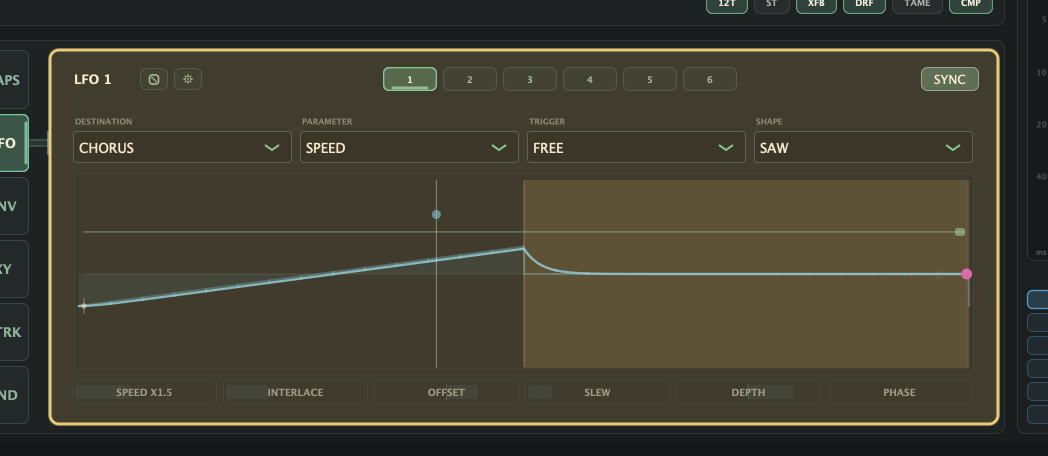
| Control | Use |
|---|---|
| 1-6 | Select the LFO panel. |
| RND | Randomise the selected LFO only. |
| INIT reset icon | Reset the selected LFO to its blank/default state. |
| FREE / SYNC | FREE uses local Hz. SYNC uses tempo divisions. Right-click for play-start reset options. |
| DESTINATION | Select OFF, CHORUS, another LFO, XY, or ENV. Self-targeting is ignored. |
| PARAMETER | Select the target on the chosen page. Categories include chorus controls, tap/width lanes, LFO shape controls, XY movement/blend, and ENV depth/timing. |
| TRIGGER | Choose continuous motion, note/ENV trigger, hold, one-shot, or half-cycle response. |
| WAVE | Choose TRI, SIN, SAW, SQR, EXP, RMP, or RND shape. |
| MULTIPLIER | Speed multiplier. Right-click the motion plane or speed chip to change it. |
| Motion plane | Drag the wave field for speed/depth and the lower strip for interlace. Shift-drag adjusts offset/phase; right-click changes multiplier. |
| Speed | Movement rate. Free mode shows frequency and period. Sync mode shows musical division. |
| Interlace | Alternates the LFO output with zero. Higher values add more zero-gate windows. |
| Offset | Signed waveform bias before depth. Moves modulation above or below the target's base value. |
| Slew | Smooths LFO edges and stepped RND wave jumps. |
| Depth -/+ | Signed modulation amount around the target's saved/base value. |
| Phase | Shifts the waveform cycle start. Shift-drag the motion plane to edit offset and phase together. |
ENV
Envelope follower and onset trigger. Choose a detector source, set sensitivity, then send ENV movement to up to four targets.
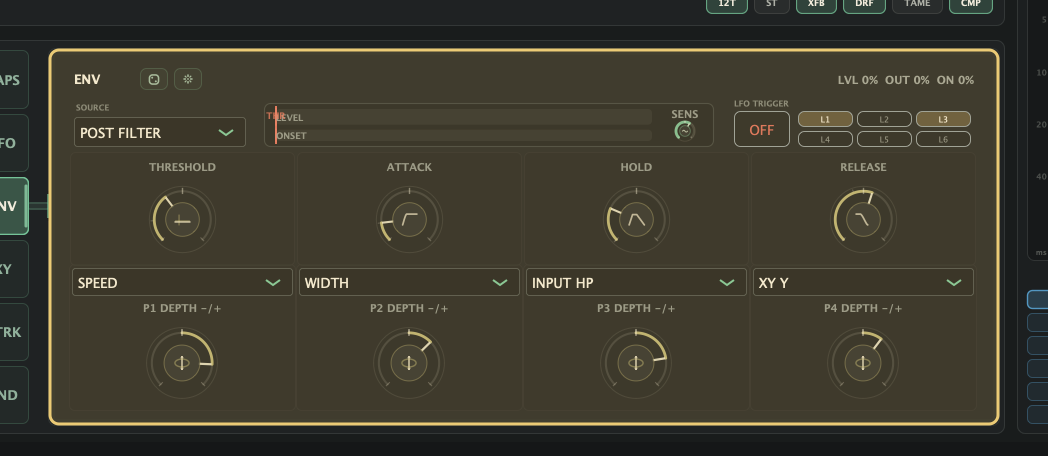
| Control | Use |
|---|---|
| RND | Randomise ENV destinations and depths. |
| INIT reset icon | Reset ENV source, trigger, destinations, depths, sensitivity, and follower timing. |
| SOURCE | Choose the detector source: Input, Post Filter / Post IFLT, Sidechain, Mid, Side, L, or R. |
| Level / Onset meter | Shows follower level, onset amount, threshold, and trigger state. Drag in the meter to set threshold. |
| SENS | Detector gain before the follower and threshold. Raise it for quiet sources; lower it for hot sidechains or spiky input. |
| LFO TRIGGER ON / OFF | Arm or disarm all LFO trigger buttons. |
| L1-L6 | Choose which LFOs receive ENV trigger events. |
| Threshold | Detector level needed for ENV onset trigger and follower response. |
| Attack | How fast ENV rises. |
| Hold | How long ENV holds before release. |
| Release | How fast ENV falls. |
| P1-P4 destination boxes | Four independent modulation destinations. Targets include chorus controls, tap/width lanes, XY controls, and LFO shape controls. |
| P1-P4 DEPTH -/+ knobs | Bipolar ENV amount and direction for each selected destination. |
ENV sources
| Source | Use |
|---|---|
| Input | Main plug-in input before the Input Filter. |
| Post Filter / Post IFLT | Main plug-in input after the Input Filter. |
| Sidechain | External host sidechain input. Route another track into the waftCRS sidechain, then use ENV destinations and depths to make that signal move chorus controls. Sidechain audio is a detector only and is not mixed into the output. If no sidechain is routed, ENV sees silence. |
| Mid | Mono sum of the stereo input. |
| Side | Stereo difference signal. |
| L / R | Left or right input channel only. The selected channel drives the shared ENV detector. |
XY
Captured patch-corner blend. X/Y pad plus optional Perlin drift.
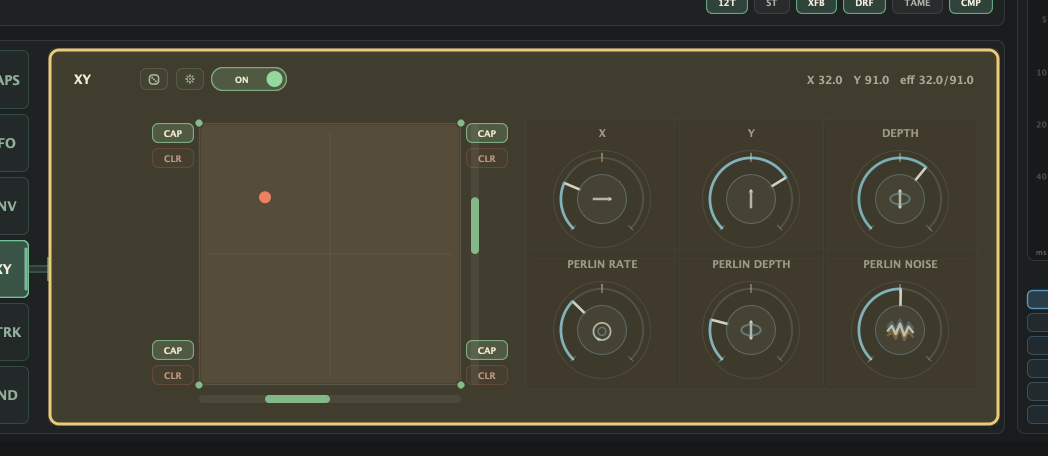
| Control | Use |
|---|---|
| RND | Capture the current patch to corner 1 and randomise corners 2-4. XY stays off. |
| ON / OFF | Enable or disable XY-corner blending. Switch off to edit or automate X/Y without overriding LFO and ENV modulation. |
| INIT reset icon | Reset Active, X, Y, Depth, Perlin Rate, Perlin Depth, and Perlin Noise to defaults, and clear every captured XY corner. |
| CAP | Capture the current patch to that corner. |
| CLR | Clear that corner. Hold Shift and the button turns green and reads RLD; Shift-click reloads that corner into the current patch parameters without clearing the captured corner. |
| X / Y pad | Drag to move through the captured corners. Double-click the pad to return X and Y to centre. |
| X | Horizontal XY position. |
| Y | Vertical XY position. |
| Depth | Amount of XY blending. |
| Perlin Rate | Speed of automatic XY drift. |
| Perlin Depth | Amount of automatic X/Y movement. |
| Perlin Noise | Detail of automatic movement. Low values are smooth; high values add richer faster layers. |
KTRK
Incoming MIDI note tracker with four lanes, per-lane channel filters, and transpose. Targets: chorus or LFO parameters.
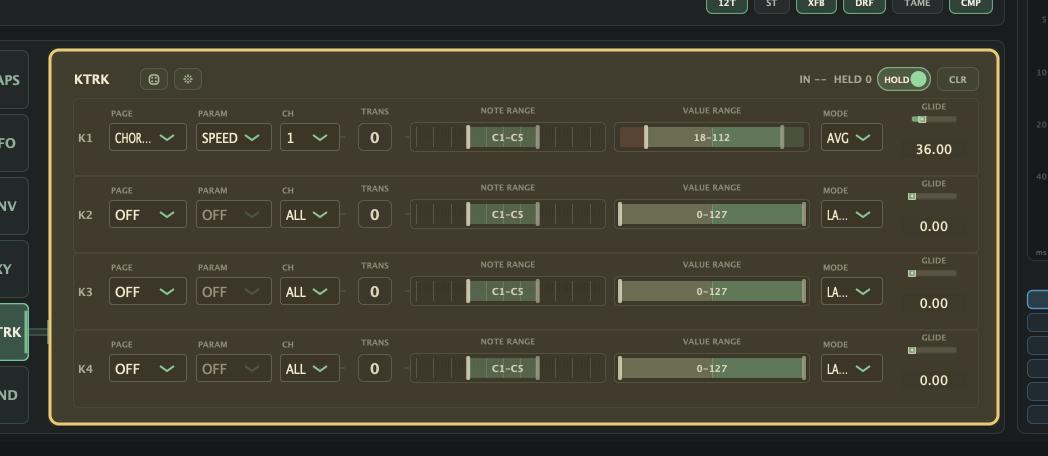
| Control | Use |
|---|---|
| RND | Randomise key-track lane settings. |
| INIT reset icon | Reset key-track lane settings. Held notes are unchanged; use CLR for live held notes. |
| IN / HELD | Shows the last incoming note, matched channel, and held-note count. |
| HOLD | Hold tracked notes after release. |
| CLR | Clear held key-track notes. |
| K1-K4 | Four lanes; each can target one chorus or LFO parameter. |
| PAGE | Choose OFF, CHORUS, or LFO 1-6. |
| PARAM | Choose the target parameter on the selected page. |
| CH | Lane channel filter. ALL accepts any channel; 1-16 listens only to that channel. |
| TRANS | Offsets incoming notes before the lane maps them. |
| NOTE RANGE | Drag the bar or handles to set the note span. Double-click an edge to learn it from the last lane-valid MIDI note. |
| VALUE RANGE | Drag the bar or handles to set the target output range. |
| MODE | LAST, LOW, HIGH, or AVG note mode. |
| GLIDE | Smoothing between key-track output changes. |
- Preset loading and controller gestures live in the top-bar
MIDI...panel, not KTRK lanes.
Random
Patch randomiser. Choose a PROFILE, tune the random feel, and use LOCKS to protect controls.
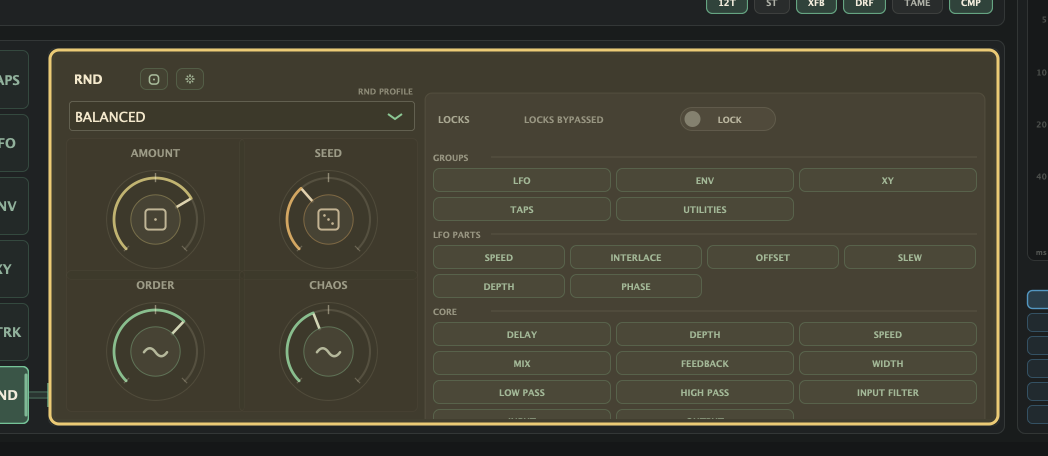
| Control | Use |
|---|---|
| Die / RND | Randomise the patch using the selected PROFILE. Shift-click also varies split L/R Delay, Depth, Speed, and Feedback. |
| PROFILE | Light, Balanced, Wild, Unsafe, Slow, Mutate, Medium, or Fast random style. |
| AMOUNT | How strongly the selected PROFILE changes the patch. At 0%, RND leaves the patch unchanged. |
| SEED | Repeatable seed from 1 to 9999. A successful randomise advances it. |
| ORDER | Adds more structured relationships between generated values. |
| CHAOS | Adds extra spread and surprise. |
| LOCKS status | Shows whether locks are bypassed, active, or all locked. |
| LOCK | Enable or bypass the saved lock choices. From empty, turning LOCK on protects everything. |
| Reset icon | Restore AMOUNT, SEED, ORDER, and CHAOS defaults, and clear all locks. |
| GROUPS | Protect whole sections: LFO, ENV, XY, TAPS, or UTILITIES. |
| LFO PARTS | Protect LFO SPEED, INTERLACE, OFFSET, SLEW, DEPTH, or PHASE across all LFOs. |
| CORE | Protect individual main controls: DELAY, DEPTH, SPEED, MIX, FEEDBACK, WIDTH, filters, INPUT, or OUTPUT. |
MIDI
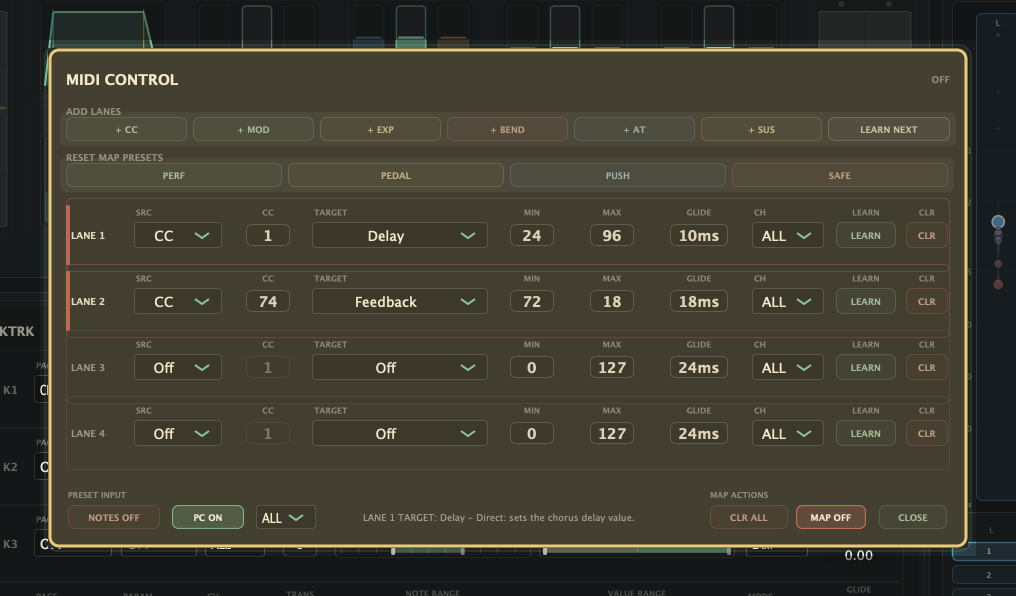
- Input only: routed MIDI from the DAW.
- Supported: KTRK notes, triggered LFOs, MIDI CONTROL maps, MIDI Preset Notes, and Program Change.
- No MIDI output.
- MIDI CONTROL changes runtime effective values only; saved knob positions and host automation lanes stay unchanged.
| Area | Use |
|---|---|
| Open MIDI CONTROL | Use the top-bar ... menu and choose MIDI... |
| MAP OFF | Turn MIDI CONTROL off without clearing the saved custom lane map. |
| CUSTOM MAP | Four MIDI lanes. Each lane has its own source, target, value range, glide, channel, and learn button. |
| Map presets | PERF, PEDAL, PUSH, and SAFE load four-lane maps and switch MIDI CONTROL to CUSTOM MAP. |
| Quick add buttons | + CC, + MOD, + EXP, + BEND, + AT, and + SUS create common lanes. LEARN NEXT arms the first open lane, then waits for a MIDI gesture. |
| Performance targets | Bundled multi-control movements: Blob Energy, Wet Amount, Width + Depth, Tap Warp, Hold / Freeze. |
| MIDI Program Change | PC ON loads performance slots by incoming Program Change number. PC OFF ignores Program Change. |
| MIDI Preset Notes | NOTES ON loads performance slots by MIDI note number. NOTES OFF leaves notes for KTRK and triggered LFOs. |
| Preset / PC Channel | Shared channel filter for Program Change and MIDI Preset Notes: ALL or 1-16. |
| KTRK notes | KTRK lanes use note input to modulate chorus or LFO targets. Preset loading lives in MIDI Program Change or MIDI Preset Notes, not KTRK lanes. |
| Lane source | Off, CC, Bend, Ch AT, or Poly AT. CC uses the CC number field. Bend is pitch bend, Ch AT is channel pressure, and Poly AT is poly aftertouch. |
| Lane target | Blob Energy, Wet Amount, Width + Depth, Tap Warp, Hold / Freeze, Delay, Depth, Speed, Mix, Feedback, Width, L CROSS, R CROSS, Lowpass, Highpass, XY X, XY Y, XY Depth, Spread, or Skew. |
| Min / Max | Map the incoming 0-127 MIDI gesture into a waftCRS 0-127 output range. Reverse Min and Max for inverted movement. |
| Glide | Smoothing time for the lane, from 0 to 500 ms. |
| CH | Lane channel filter. ALL accepts any channel; 1-16 listens only to that MIDI channel. |
| LEARN | Move a MIDI control, then press LEARN on a lane to copy the last received source and channel into that lane. While armed, the button asks you to move MIDI. |
- Route MIDI directly to waftCRS for KTRK notes, triggered LFOs, MIDI CONTROL, MIDI Preset Notes, and Program Change.
- CUSTOM MAP lanes can filter their own input with CH.
- If the DAW does not pass instrument MIDI into an audio effect, use a helper MIDI track routed to waftCRS.
Menus And Panels
- Internal assignment: right-click supported controls for LFO, ENV, and PERF BLOB sources.
- External MIDI assignment: top-bar ... menu,
MIDI....
| Menu | Items |
|---|---|
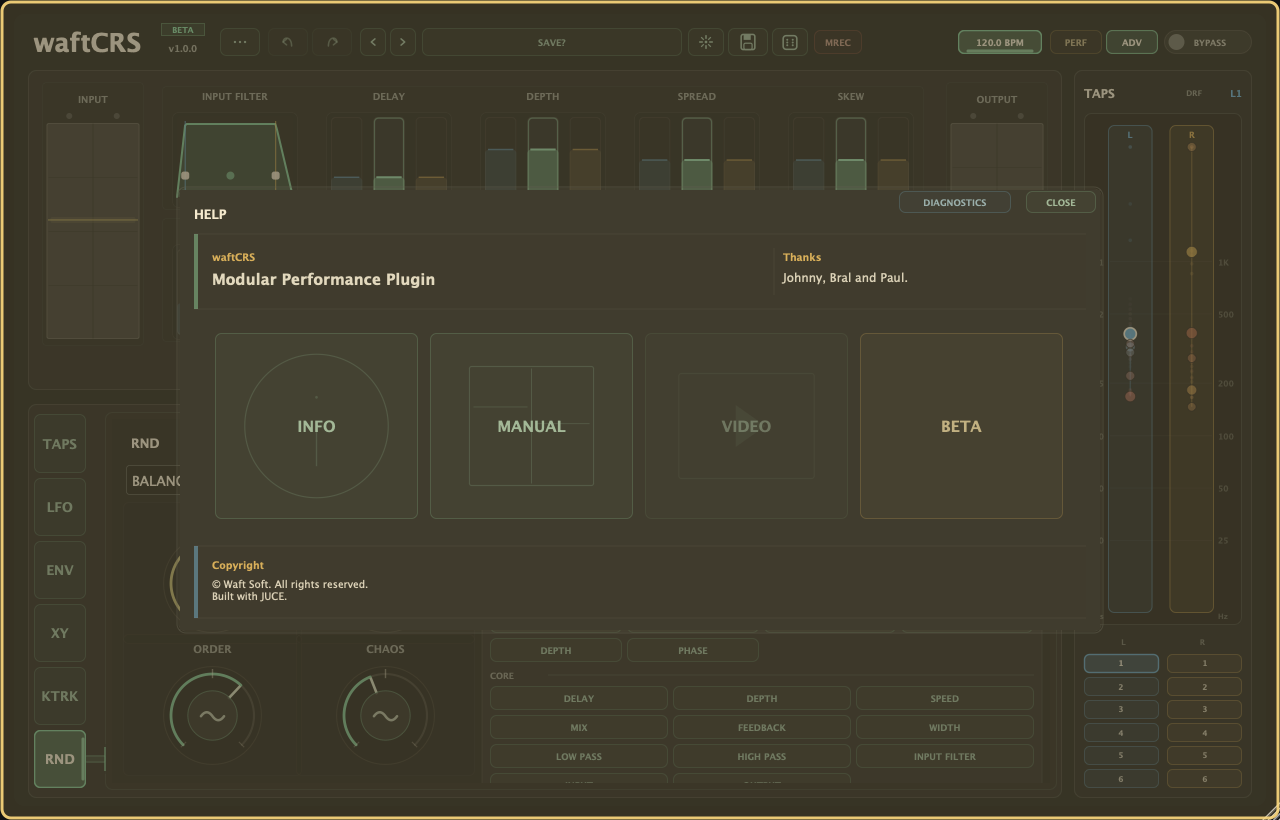
| Preset menu (...) | Open HELP/LICENSE, PRESET MANAGER..., COLOURS..., MIDI..., and GRIT. |
| MREC menu | Click or right-click MREC for Motion Rec actions: mute/unmute, clear all, and MRECQ when synced timing is on. |
| Preset selector dropdown | Open INIT plus the current factory/user preset library, then choose a preset to load. |
| HELP/LICENSE | Open this panel for support links, the manual, licence/unlock actions, and diagnostics. |
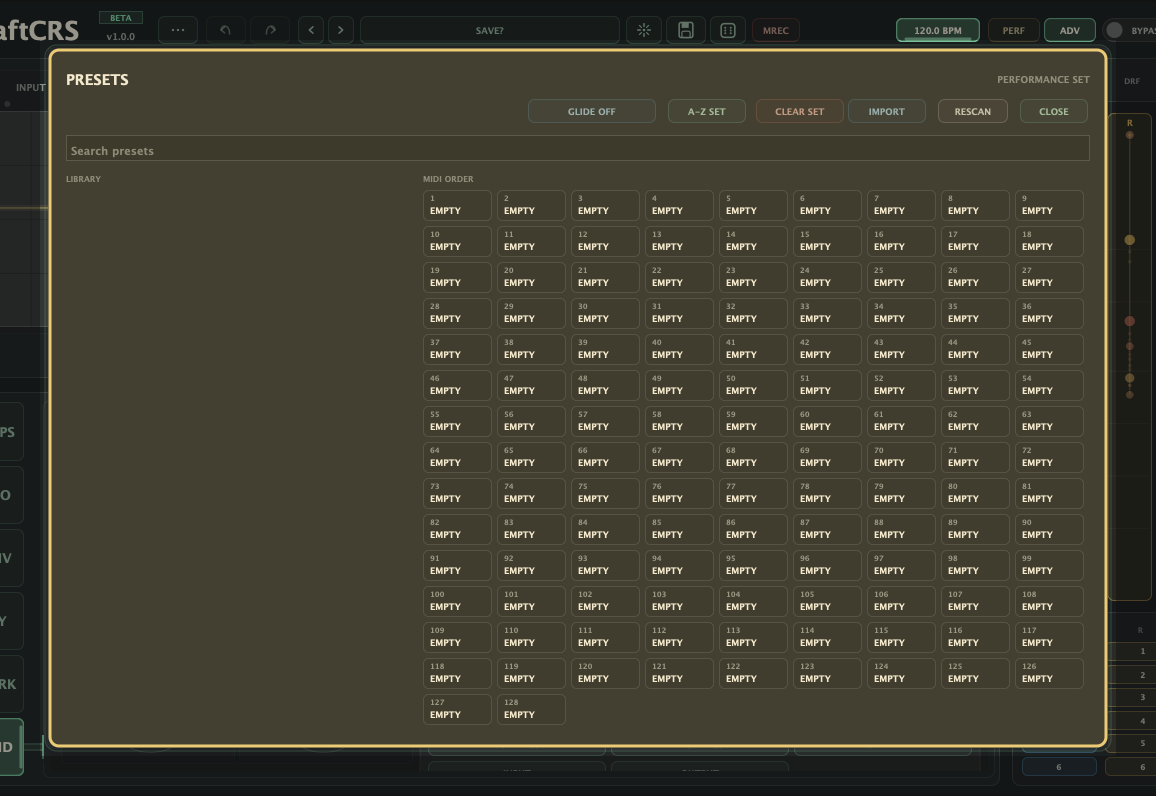
| Preset Manager... | Open this panel for library tools, preset glide, and performance slots. |
| MIDI... | Open this panel for MIDI CONTROL lanes, learn, quick maps, Program Change, and preset notes. |
| Preset Glide | Set preset-load transition time from Preset Manager, or by right-clicking the preset box or INIT. |
| GRIT | Output grit/sample-rate texture. Native keeps normal rate. Other choices lower the effective grit rate. |
| MRECQ | Inside the MREC menu. Sets the loop quantise length for new synced recordings; FREE timing uses the gesture length. |
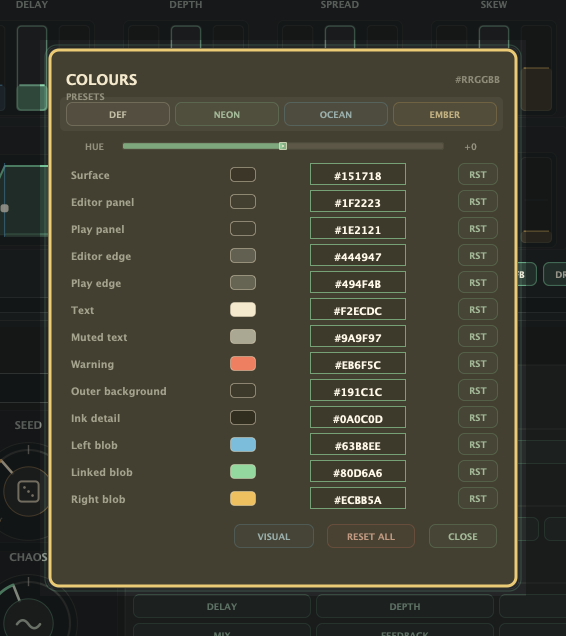
| Colours | Open this panel for themes, custom colours, resets, and VISUAL access mode. |
| Visual Access | Enable higher-contrast state markings from COLOURS. |
| Modulation assignment popup | Right-click supported controls to assign LFO, ENV, or BLOB sources. MIDI mapping lives in MIDI CONTROL. |
| BLOB control | Map PERF blob X/Y drags to controls. |
Preset Manager
Preset Manager is for library maintenance and live preset selection prep.
- Browse, import, rescan, rename, and prepare the 128-slot performance set.
- Preset Glide sets the transition time used when loading presets.
- Top-bar SAVE writes a
.waftcrspresetpatch containing the sound, modulation, BLOB assignments, and Motion Rec captures. - Local workflow settings such as licence state, theme, VISUAL access mode, glide, random locks, and MIDI CONTROL maps stay outside preset files.
Colours
COLOURS edits the interface only. It does not change the sound or saved preset data.
- Choose a theme, sweep hue, edit/reset colour slots, or reset all colours.
- VISUAL access mode adds higher-contrast markings for active, selected, muted, and triggered states.
- Colour and VISUAL choices are saved as local preferences, so they remain your interface setup across projects and presets.
Ranges And Defaults
| Area | Range / default |
|---|---|
| Main continuous controls | 0-127. Defaults: Delay 54, Depth 42, Speed 38, Mix 100, Feedback 22, Width 88, Low Pass 112, High Pass 0, Input Filter LP 127, Input Filter HP 0, Input 85, Output 85. |
| Input Filter Mode | LPF, BPF, or HPF. Default LPF. |
| Bipolar modulation depths | -127 to +127. Default 0. |
| ENV follower controls | Threshold, SENS, Attack, Hold, and Release use 0-127 values. Defaults: Threshold 20, SENS 63.5 / 0 dB, Attack 18, Hold 0, Release 54. SENS maps -24 dB to +24 dB detector gain. |
| LFO controls | Speed, Interlace, Offset, Slew, Depth -/+, and Phase use 0-127 values where shown; bipolar depths display -127 to +127. Default modulation amount is 0. |
| LFO multiplier | x1/8, x1/4, x1/2, x3/4, x1, x1.5, x2, x4, x8, x16, x32, or x64. |
| Motion Rec quantise | MRECQ choices are 1/16, 1/8, 1/4, 1/2, or 1. Default 1/8. |
| Tap spread/skew pads | -1 to +1. Default 0. |
| Tap position | 0.05 to 2.35. Default tap map is generated from the classic ratios. |
| Tap level / jitter / alt polarity | 0 to 1. |
| XY X/Y | 0-127. Default 63.5 centre. |
| XY depth | 0-127. Default 127. |
| Random amount | 0-1. Default 0.74. |
| Random seed | 1-9999. Default 271. |
| Random order / chaos | 0-1. Defaults 0. |
| Key-track notes | MIDI notes 0-127. Default low 36, high 84. Lane channel default is ALL; transpose range is -48 to +48 semitones, default 0. |
| Plug-in latency and tail | 0 samples latency. Tail is 0.35 seconds. |